


Windows Sandbox is one of those features that works perfectly on your own laptop and then quietly falls apart on a customer device. This one started as a simple Intune package, Sandbox as an Available app, and ended two days later with me reading WFP filter dumps. The sandbox started fine. It just had no network.
Sandbox starts. Network doesn’t.
Inside the sandbox, ipconfig /all gave me a 169.254.x.x address and no gateway. Classic APIPA: the DHCP request went out and nothing came back.
The host looked healthy. The vEthernet (Default Switch) adapter had an IP in a 172.x range, and something was listening on UDP 67. So the DHCP server was there. The sandbox just never reached it, or the answer never made it back.
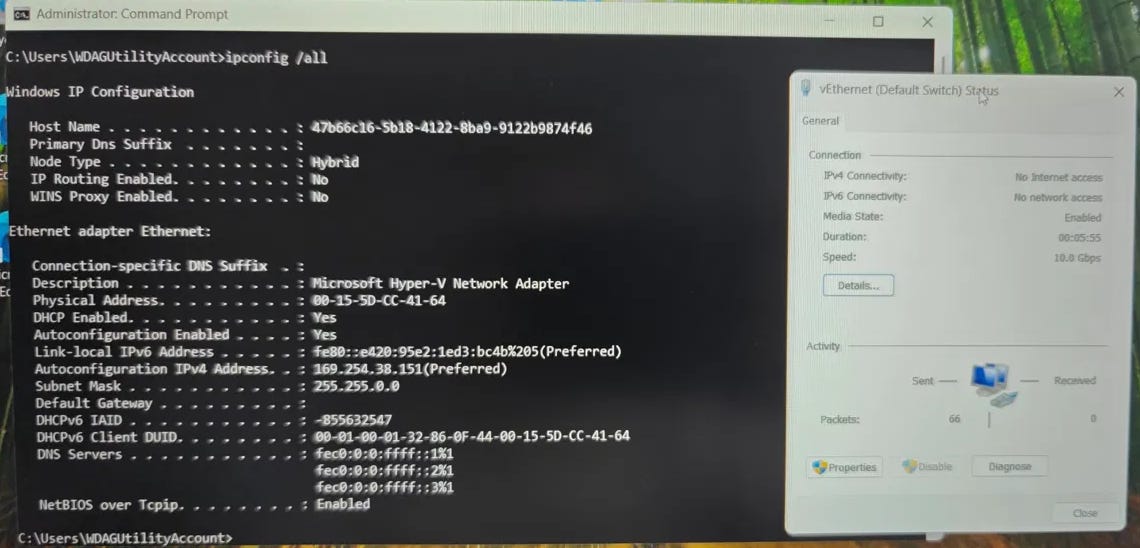
ipconfig /all inside the sandbox, showing the 169.254.x.x address and no default gateway, next to the host’s vEthernet (Default Switch) status windowOne more detail that mattered later: this was a managed device with the customer’s CIS Level 1 baseline injected through Intune.
The usual suspects
First stop was Internet Connection Sharing, because the Default Switch leans on it. I pulled the values from the registry:
NC_ShowSharedAccessUI= 1, so ICS is allowedSharedAccessservice: runningNC_AllowNetBridge_NLA: I even flipped this one in the policy. It arrived on the device, and nothing changed
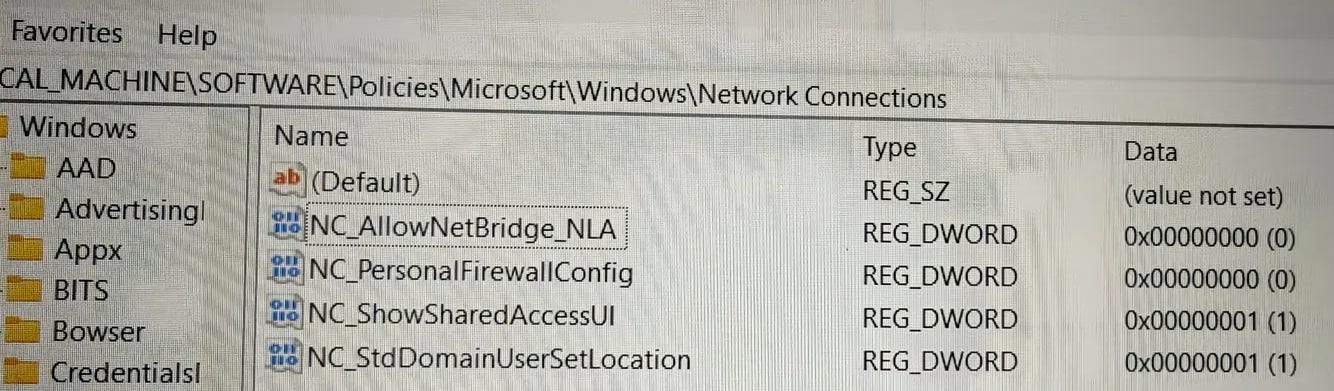
Nothing there. I also had a moment where I read a status window on the host (Sent 66, Received 0) as if it were the sandbox. It wasn’t. Worth saying out loud, because that detour cost me time.
CIS, and a firewall I couldn’t see
Then the obvious thought: the customer has CIS L1 on this device. I got an elevated PowerShell and looked at what was actually in force:
Get-NetFirewallProfile -PolicyStore ActiveStore |
  Select-Object Name, DefaultInboundAction, AllowInboundRules, AllowLocalFirewallRules

Name    DefaultInboundAction AllowInboundRules AllowLocalFirewallRules
----    -------------------- ----------------- -----------------------
Domain  Block                False             False
Private Block                False             False
Public  Block                False             False
Two columns matter here. AllowLocalFirewallRules False is the local merge: the baseline does not merge firewall rules created on the device into the active policy (in the MDM report it shows up as AllowLocalPolicyMerge 0). So an allow rule only counts when it comes from Intune. And AllowInboundRules False means incoming connections are blocked outright, even when a rule allows them. I did not know yet what that second one meant. It turned out to be the whole problem.
To see what was actually being dropped, I turned on packet drop auditing. From then on Windows logs every packet its firewall platform drops as event 5152 in the Security log (”The Windows Filtering Platform has blocked a packet”). Then I exported just those events:
auditpol /set /subcategory:"Filtering Platform Packet Drop" /failure:enable
wevtutil epl Security C:\Temp\5152.evtx "/q:*[System[(EventID=5152)]]" /ow:true
Among the usual mDNS noise there was a clear pattern: inbound UDP from 0.0.0.0:68 to 255.255.255.255:67, aimed at an svchost process. That is a DHCP discover from the sandbox. Ten of them, retrying with a growing delay, all dropped. Which also explains the host adapter showing zero received packets: the firewall dropped them before anything processed them.
Rule enforced, packets dropped anyway
Easy, I thought. Add an inbound allow rule for UDP 67 in an Intune firewall policy. I did. It showed up on the device as PolicyStoreSource: MDM, Enabled: True, Action: Allow, status “Enforced”.
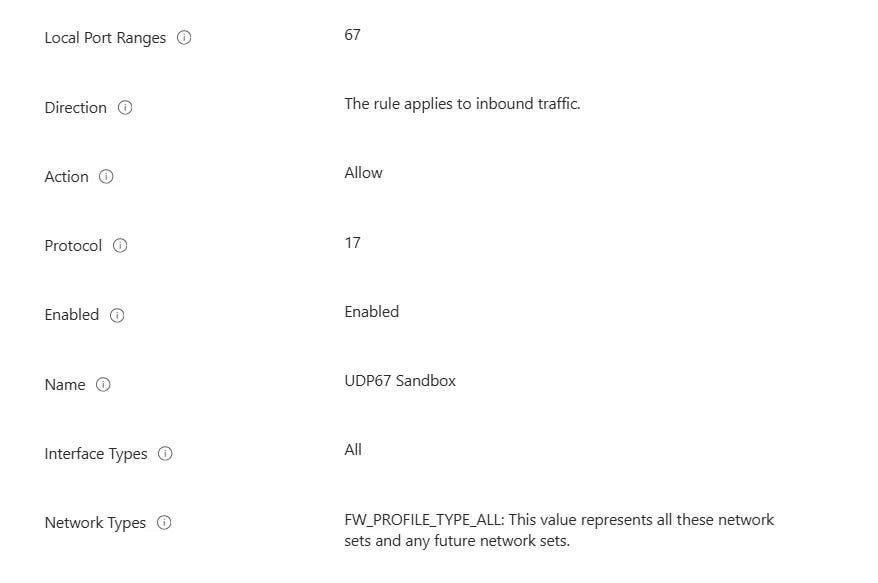
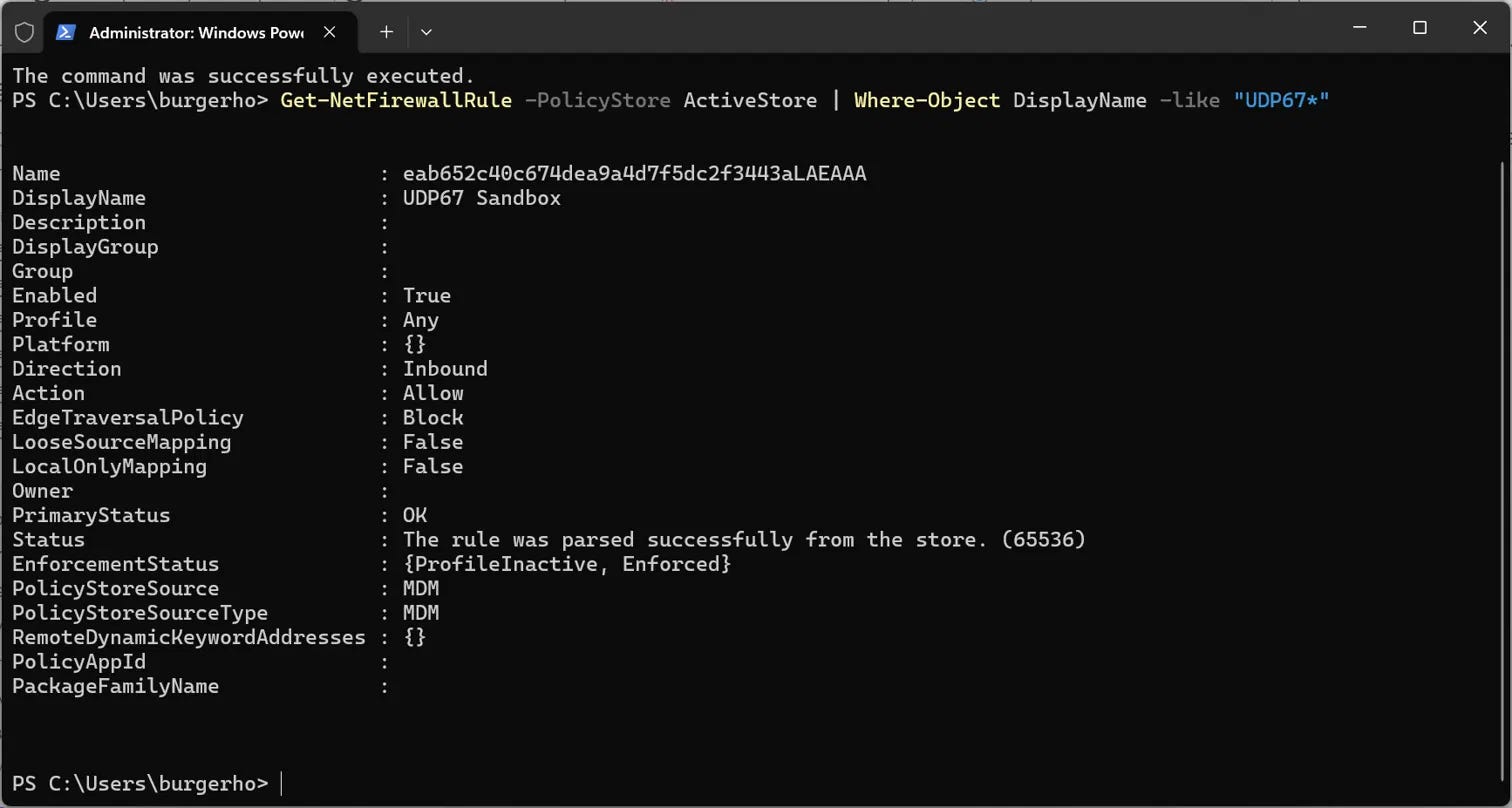
The drops carried on, same filter ID as before.
Time for the big hammer:
netsh wfp show filters file=C:\Temp\wfp.xml verbose=onFilter 112440, the one eating my DHCP packets, turned out to be called Shielded Main Rule. A block filter at ALE_AUTH_RECV_ACCEPT_V4, with no conditions at all. That is what Windows creates when “Block all incoming connections” is on, and it beats every allow rule you throw at it. My UDP67 rule existed in the dump, but only at the bind layer (ALE_RESOURCE_ASSIGNMENT). At the receive layer, where it counts, there was nothing.
That is the AllowInboundRules column from the output above: False on all three profiles.
So for this baseline, no inbound allow rule in the world was going to help. Not mine, and not the ones the Host Network Service adds for the Default Switch.
Changing the setting. Nothing happened.
I set the shielded option to off in my policy, synced, restarted Sandbox. Still no network, and AllowInboundRules was still False.
The MDM diagnostics report (mdmdiagnosticstool.exe -area DeviceProvisioning) made it plain: Shielded was still -1 on all three profiles. The baseline was still applying to the device. I had forgotten to exclude my test group from it. Two policies, one device, the stricter one winning.
After fixing the exclusion, the report showed Private and Public at 0, and AllowInboundRules flipped to True for both. Domain stays on, which does not matter for this.
DNS, the sequel
The next sandbox start got an address: 172.17.136.118, with the host on 172.17.128.1. Progress. Still no internet.
I started the sandbox again and exported the drop log with the same wevtutil command. It showed 108 drops of UDP 53 from the sandbox to the host. Windows Sandbox uses the host as its DNS server, so the same story again, one port further along. I added inbound allow rules for UDP 53 and TCP 53. (I first made the TCP one outbound. Check the direction. Twice.)
After that, the sandbox had internet.
Then the host lost DHCP
The next morning, the host itself had a 169.254 address on Wi-Fi, on a phone hotspot and on LAN. All three. The DHCP client log was clear about the symptom and useless about the cause:
[Image placeholder 6: photo of ipconfig on the host with 169.254 addresses on Ethernet and Wi-Fi]
Id 1001: Your computer was not assigned an address from the network
(by the DHCP Server). The following error occurred: 0x79.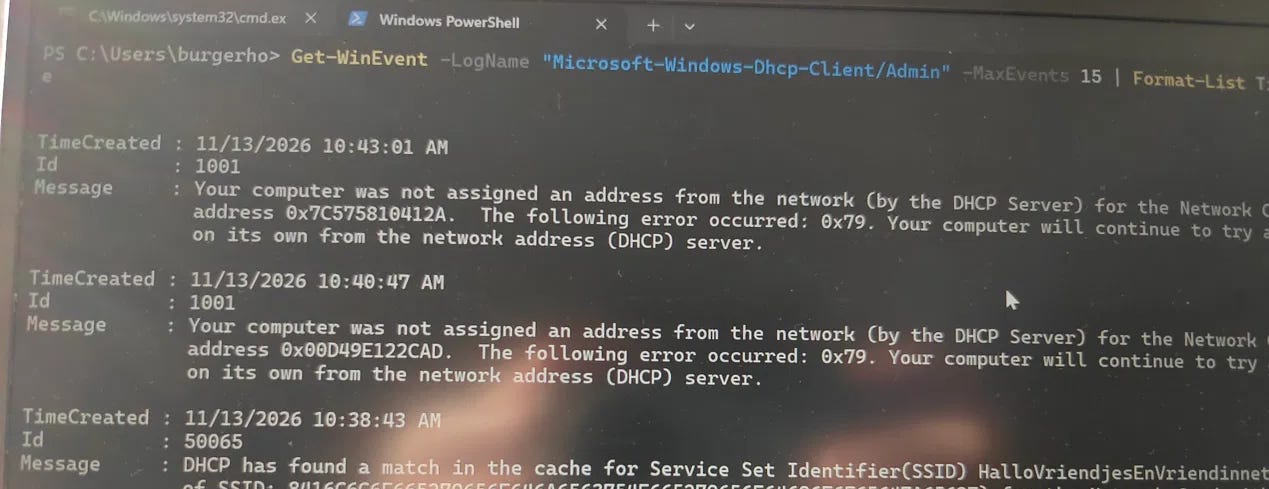
0x79 is a timeout. The discovers went out, nothing came back. I put the adapters back on DHCP and added an inbound allow rule for UDP 68 to the same policy as insurance. Whether that UDP 68 rule matters, I can’t tell you. The drop log I took afterwards started after the problem was gone, so I have no drop log of the failure itself. I’m not going to invent a cause.
What I’d hand the customer
The working set on this device:

All rules: inbound, allow, all profiles, all interface types. The baseline also keeps the local rule merge off, so they have to come from an Intune firewall policy. Creating them on the device does nothing.


This weakens their baseline on every device where it applies, and that is not my call to make. I’d scope it to a pilot group of people who actually need Sandbox, and write the exception down. Without it, Sandbox starts fine. It just has no network, which for most of what people use Sandbox for is the same as not having Sandbox.
If you are on a CIS-style baseline and your sandbox sits on a 169.254 address, skip the ICS policies. Start with Get-NetFirewallProfile and look at AllowInboundRules.
A word on the screenshots: the two photos of the host, the 169.254 addresses and the DHCP client log, were shot with my phone, straight off the screen. Not pretty. They are what I had at that moment, and they are the real thing, so I left them in.
That is it for now. Until next time. 👋